
General Security Guide
Corporate Internet banking login credentials, including usernames, login passwords, Mobile Token PIN and one-time passwords (OTPs), are as important in the digital world as the keys to their houses are in the physical one, and should be properly safeguarded.
In accordance with the HKMA’s supervisory requirements, the bank will not send SMS or email messages with embedded hyperlinks directing customers to their websites or mobile applications to carry out transactions. Nor will the bank ask customers to provide sensitive personal information, including login passwords, Mobile Token PIN and OTPs, via hyperlinks.
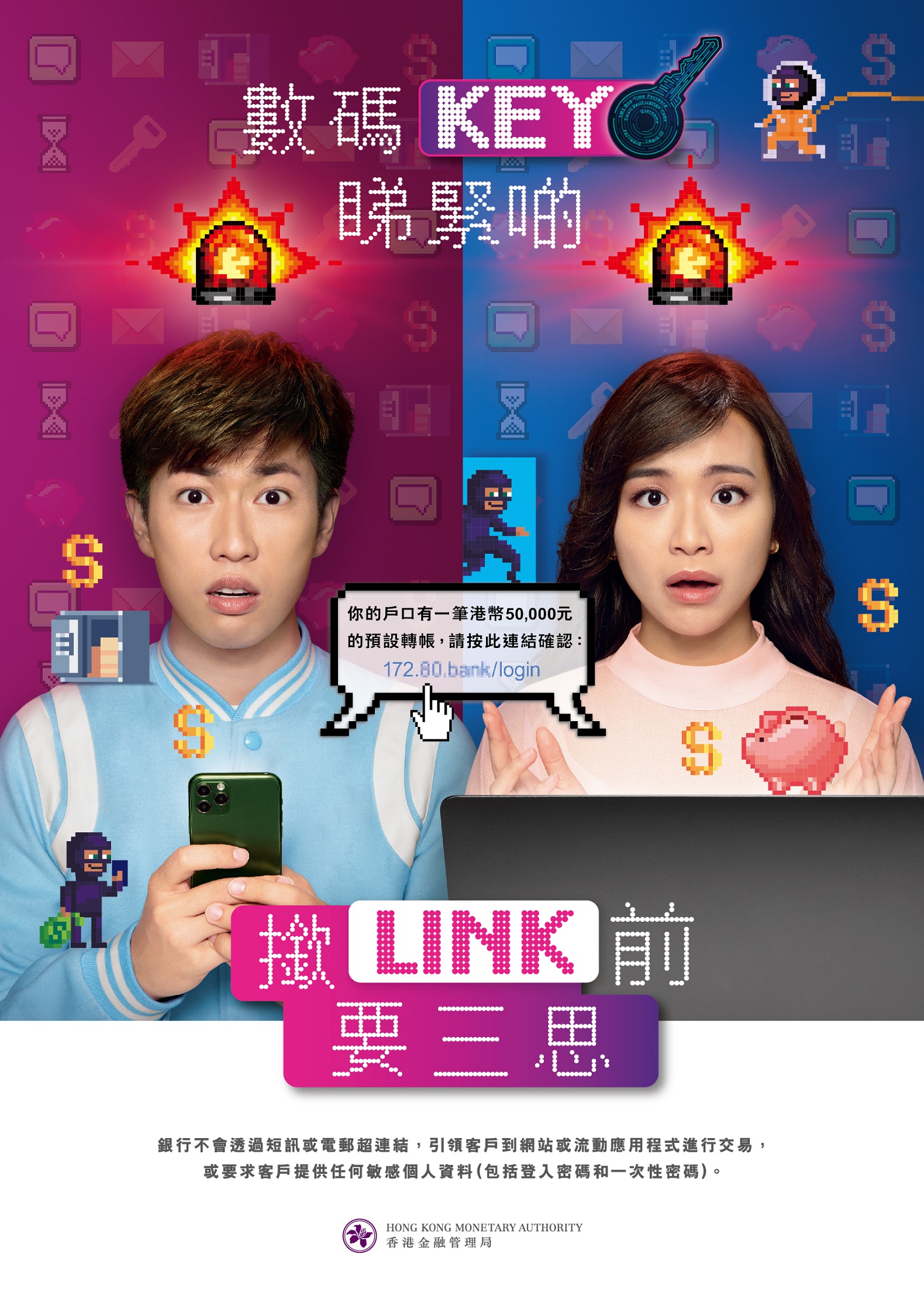
If you receive SMS or email messages with embedded hyperlinks requesting you to input Corporate Internet Banking login credentials, these messages should not originate from the bank. You should think twice before clicking any hyperlinks purportedly sent by the bank, and contact the bank immediately if you have any concerns.
Regarding HKMA’s “Protect your Personal Digital Keys; Beware of Fraudulent Links!” information, please click.
Fraud crime is growing and everybody should be aware of it. To protect yourself from being the next victim of fraudulent events, we hope the following tips may help you.
Safeguard your personal information and belongings, including ATM cards, credit cards, cheque books, identity documents, passwords, etc. This will protect you from identity theft, online fraud, card fraud, and more.
Whenever someone request for your personal information, either through phone calls, SMS texts or emails, be cautious and do not respond to these kinds of communications until you have ascertained they are genuine.
Fraudsters may send out scam emails, which may contain attachments or hyperlinks. Do not open them if you are in doubt, as this is a common trick used by fraudsters to install trojans or spyware to intrude your computer for personal information.
You should check your bank statements carefully, if you spot any transactions you do not recognised, contact us immediately.
Recommend to strengthen the security of the mailbox. This can prevent fraudsters from stealing your letters containing personal information, such as bank statements, credit cards, or tax assessment notice. If you have not received the scheduled letters in time, please contact the relevant organizations immediately.
To help members of the public verify the identities SMS sender, and prevent fraudsters from sending scam SMS messages masquerading as banks, effective from 28 January 2024, the Bank has commenced using the following “Registered SMS Sender IDs” with the prefix “#” to send SMS messages to local subscribers of mobile services:
#BANKCOMM
#BOCOM
#BOCOMHK
Please note that the Scheme is not applicable to SMS messages where customers are expected to give a reply* and not applicable to local subscribers of Single-Card-Multiple-Numbers / One-Card-Two-Numbers mobile service provided by non-Hong Kong operators.
*Please note that the Bank will not send SMS messages requiring customer replies
You should stay vigilant to bogus communications or messages of various means or channels, such as phone calls, SMS messages(Regardless of whether the SMS Sender IDs are prefixed with ‘#’), WhatsApp messages, emails, social media posts or letters, purported to be from banks.
You can get more details by reading relevant materials on the HKMA website (please click here) and the relevant video (please click here).
|
Latest Update 1. You should take reasonable steps to keep any device (for example, personal computers, mobile device, security devices that generate one-time passwords and smart cards that store digital certificates) or password in a safe place, and do not allow your security device to come into the possession or control of any other person. 2. You should take reasonable steps to keep the device safe and the password secret to prevent fraud. In particular, (a) should destroy the original printed copy of your password; (b) should not allow anyone else to use your password; (c) never to write down your password on any device for accessing internet banking services or on anything usually kept with or near it; and (d) not to write down or record your password without disguising it 3. Do check the last login details (including the date and time of the last login) when you log in to "Corporate Internet Banking"/"Corporate Mobile Banking". If you notice any suspicious login, please contact our corporate customer services hotline immediately at (+852) 398 95559. 4. Do not access your "Corporate Internet Banking" account or provide your personal information (including your login password and one-time password) through any hyperlinks or attachments embedded in emails, SMS, QR codes, search engines, social networking platform, suspicious pop-up windows or any third-party websites that are not authorized by the Bank. 5. When accessing the "Corporate Internet Banking" services, you are advised to type the website address of Bank of Communications (Hong Kong) Limited (www.hk.bankcomm.com) directly into the browser address bar, or bookmark the genuine website for convenience sake. 6. Please log out the" Corporate Internet Banking"/"Corporate Mobile Banking" after conducting transactions. 7. Check our Bank's SMS messages and other messages in a timely manner. Inform our Bank immediately in case of any suspicious situations. The Bank will not ask for any sensitive personal information (including login password, Mobile Token PIN and one-time password) through phone calls or emails. 8. Do not access "Corporate Internet Banking"/"Corporate Mobile Banking" services from public or untrusted places/ Wi-Fi network or from shared computers. You never know what malicious programs might be installed on the PC or network you use there. 9. Our Bank suggests you to set difficult-to-guess passwords for your computer, mobile device and activate the auto-lock function. 10. Do not download software and apps from any untrusted sources. 11. Disable any wireless network functions not in use of your device to mitigate any cyber security threats. Choose encrypted networks when using Wi-Fi and remove any unnecessary Wi-Fi connection settings. 12. Do not disclose banking details such as "Corporate Internet Banking" No., user log-in name/user id, passwords, Mobile Token PIN, one-time passwords and other sensitive account information, to any third party providers, no matter authorized by the Bank or not. 13. If you have logged in to the "Corporate Internet Banking"/"Corporate Mobile Banking" through third-party websites or third-party mobile Apps, you are advised to change the passwords immediately to protect your personal information. Customers who discover any unauthorized transactions in their bank accounts or have any queries relating to the "Corporate Internet Banking"/"Corporate Mobile Banking" services should immediately contact our corporate customer services hotline at (+852) 398 95559. 14. If any unusual screens pop up and/or request to provide any personal information or abnormal internet banking login steps, you are advised to log out from the "Corporate Internet Banking" or "Corporate Mobile Banking" immediately and should contact our corporate customer services hotline at (+852) 398 95559. 15. You will be liable for all losses if you have acted fraudulently. You may also be held liable for all losses if you have acted with gross negligence (this may include cases where you knowingly allow the use by others of your device or password, or fail to comply with the safeguards set out in point 1 and 2 above) or have failed to inform the Bank as soon as reasonably practicable after you find or believe that your secret codes or devices for accessing the internet banking services have been compromised, lost or stolen, or that unauthorized transactions have been conducted over your accounts. 16. Our Bank or our agents/business partners will never ask for your sensitive personal information including account information, one-time password, login password, Mobile Token PIN or credit card number by e-mail or telephone, SMS, instant messaging apps or other means. Please do not access your "Corporate Internet Banking" account through hyperlinks embedded in emails or from other search engines. If you have any queries, please call our corporate customer services hotline at (+852) 398 95559. 17. Before making payment by Account No., Mobile Phone No., E-mail Address or FPS Identifier, you should verify the details of payment request carefully, including the payee name and amount. If you have any doubt, please confirm with the payee in advance. 18. You should ensure that your devices for accessing e-Banking are not being infected by virus or unauthorized accessed by malicious, corruptive or destructive program, for the retrieval, use and change of the password, biometric credential or personal information. 19. You are advised to close other browsers and avoid browsing other websites when you are accessing Corporate Internet Banking. 20. According to the Microsoft Co., Ltd. website, Windows 10 operating systems were officially terminated on October 14, 2025 unless you have purchased the extended security updates service. Please refer to the official website of Microsoft for details. To ensure that you are safe to use the "Corporate Internet Banking" service, it is recommended to consider using Windows 11 operating systems with specified browsers (such as Chrome, Firefox or Safari) and performing regular updates. 21. To use the "Corporate Mobile Banking", you should download and install the updated version of "BOCOM Corporate Mobile App" through official app stores (such as Google Play or App Store) or the Bank’s official website only. Do not download software and apps from any untrusted sources. 22. Your mobile device should use the OS (iOS or Android) versions which are recommended by our Bank to access "Corporate Mobile Banking". You are advised to install the latest software updates for the "Corporate Mobile Banking". 23. To help the Customer stay vigilant against frauds, scams and deceptions, the Bank will send risk alerts based on the risk warnings, messages and indicators received by the Bank from "Scameter" provided by Hong Kong Police Force from time to time. (i) When you initiate instant fund transfers through "Transfer Within Bank" and "FPS Service Transfer", if the account number, mobile phone number, email address or FPS Identifier of payees are listed as High Risk on "Scameter", risk alerts will be prompted before proceeding with the transactions. You will be asked to confirm whether you want to proceed with the transactions. Please be aware of such situations and follow the risk alerts to stop the transactions (if applicable) and be aware that the transactions are considered high-risk. If you choose to continue with the transactions, you will assume the associated risks and liabilities. (ii) You are encouraged to use "Scameter"(www.CyberDefender.hk/scameter) provided by Hong Kong Police Force to conduct assessments of potential frauds and online security risks prior to making any fund transfers. (iii) Regarding HKMA's "Expansion of Suspicious Account Alert for internet banking and physical branches transactions",please click here. (iv) When in doubt, you may call Anti-Scam Helpline 18222 for assistance or report to the Police. 24. Please exercise utmost caution regarding malware that can manipulate your mobile device. When you are prompted to open suspicious links or download applications, it is crucial to proceed with caution. Before installing any applications, take the time to carefully evaluate the permission requirements of the respective mobile applications. If you come across any suspicious permission requests, it is advised not to install the related mobile applications and stop operating them immediately. Uninstall any suspicious applications on your device, and restore the factory settings if it deems necessary to ensure that the suspicious applications are completely removed. Unless you are completely certain, do not allow your system to install mobile applications from unknown sources. 25. Please refer to the security advice provided by the Bank from time to time. The Bank will regularly review our security advice to ensure that it remains adequate and appropriate. |
||
|
Internet Security Measures by the Bank
|
||
|
Internet Security Measures by the Bank |
||
|
To secure your banking information and account details, our "Corporate Internet Banking" and "Corporate Mobile Banking" provides the following measures. |
||
|
1. |
Transport Layer Security (TLS) |
|
|
|
When using "Corporate Internet Banking" and "Corporate Mobile Banking" services via the Internet, all account and transaction information will be encrypted by TLS encryption technology. |
|
|
2. |
Automatic time out |
|
|
|
The "Corporate Internet Banking" and "Corporate Mobile Banking" system has an automatic log off function. The service will automatically log off after 20 minutes account inactivity so as to prevent unauthorized access of your account. Automatic time-out function will be valid even if there are transactions in progress. |
|
|
3. |
Personal Identification Number (PIN) |
|
|
|
(i) |
Unique "Corporate Internet Banking" No., user log-in name/user id and user password and security code or Mobile Token PIN are required to access "Corporate Internet Banking" or "Corporate Mobile Baking" and the account will be locked if incorrect password/ PIN has been entered 6 times consecutively in order to protect our customers' interest. |
|
|
(ii) |
Our Bank or our agents/business partners will never ask for your sensitive personal information including account information, one-time password, login password, Moblie Token PIN or credit card number by e-mail, telephone, SMS, instant messaging apps or any other means. Please do not access your "Corporate Internet Banking" account through hyperlinks embedded in emails or from other search engines or suspicious pop-up windows. If you have any queries, please call our corporate customer services hotline at (+852) 398 95559. |
|
4. |
Digital Certificate |
|
|
|
The Bank's website is secured by a certificate issued by DigiCert. When using "Corporate Internet Banking", simply click the "lock" or "key" icon at the bottom of your browser to display the certificate details for verification. |
|
|
5. |
Multiple Authorizations |
|
|
|
In order to conduct your transactions in a safer manner, you can choose multiple management control and set multiple authorization rights for "Corporate Internet Banking" or "Corporate Mobile Banking", in which maker and checker(s) are required for internet banking transactions. |
|
|
Security Measures by Customers
|
||
|
Security Measures by Customers |
||
|
To avoid unauthorized access to your account(s), you should pay attention to the following points: |
||
|
1. |
Personal Identification Number (PIN) |
|
|
|
(i) |
Create a password with a combination of uppercase and lowercase letters, numbers and symbols. Do not use the easily guessable password, such as telephone number, birthday, ID number or any personal associated numbers. |
|
|
(ii) |
Do not write down or record the PIN without disguising it. |
|
|
(iii) |
Do not use the same password in accessing other internet services. The password for accessing "Corporate Internet Banking" services should not be shared with other services. |
|
|
(iv) |
Do not reveal your password to anyone else (including the Bank staff and police). |
|
|
(v) |
Do change your password regularly, such as every 30-day. If you suspect your password has been known by someone else, you should change it immediately; if you cannot change your password through internet, please contact our corporate customer services hotline (+852) 398 95559. |
|
|
(vi) |
Our Bank or our agents/business partners will never ask for your sensitive personal information including account information, one-time password, login password or credit card number by e-mail, telephone, SMS, instant messaging apps or other means. Please do not access your “Corporate Internet Banking” account through hyperlinks embedded in emails or from other search engines. If you have any queries, please call our corporate customer services hotline at (+852) 398 95559. |
|
|
(vii) |
You should keep the security device provided by the Bank in a safe place. |
|
|
(viii) |
Please do not share your login password, Mobile Token PIN, security device and Mobile Token with others. |
|
2. |
Using Corporate Internet Banking |
|
|
|
(i) |
Never leave your "Corporate Internet Banking" session unattended. Do click [Logout] button to exit the service upon completion of banking transactions. |
|
|
(ii) |
Follow the security advices on this document when accessing "Corporate Internet Banking". |
|
|
(iii) |
Do not disclose your personal information if you have any doubts about the websites. |
|
|
(iv) |
Do not access your Corporate Internet banking accounts or provide your personal information (including your login passwords, Mobile Token PIN, one-time passwords) through any hyperlinks or attachments embedded in emails, SMS, QR codes, search engines, social networking platforms, suspicious pop-up windows or any third-party websites that are not authorized by the Bank. "Corporate Internet Banking" should be accessed by entering the Bank’s website address directly, or using a bookmark. |
|
|
(v) |
Check your account statement, transaction history and account balance regularly, and contact us immediately if you have any doubts about the account transactions. |
|
|
(vi) |
Do not download software from unknown websites. |
|
|
(vii) |
Please log out the "Corporate Internet Banking" after conducting "Corporate Internet Banking" transactions. |
|
|
(viii) |
Avoid using the same computer with others, or clear the history if it is unavoidable. |
|
|
(ix) |
Check our Bank’s SMS messages and other messages in a timely manner. Inform our Bank immediately in case of any suspicious situations. The Bank will not ask for any sensitive personal information (including your login passwords and one-time passwords) through phone calls or emails. |
|
|
(x) |
To help members of the public verify the identities SMS sender, and prevent fraudsters from sending scam SMS messages masquerading as banks, ‘SMS Sender Registration Scheme’ will be launched with the support of the Hong Kong Monetary Authority, the Hong Kong Association of Banks, the Hong Kong Police Force, Office of the Communications Authority and the telecommunications industry. *Please note that the Bank will not send SMS messages requiring customer replies |
|
|
(xi) |
SMS for "Notification of Execution of Designated Transactions" and "one time password" issued by our Bank will be sent to your registered mobile phone number or email address only. In order to safeguard your interest, if the phone number or email address registered in our Bank is no longer valid or is changed, you should amend your mobile phone number or email address via "Change User Info" function by using the two-factor authentication tool (e.g. security device or Mobile Token) or visit any of our branches to update the user personal information as soon as possible. |
|
|
(xii) |
In order to strive for better security protection, we provide with the following security measures as follows: As Transfer Within Bank (Non-Registered), Transfer to Local Bank (Non-Registered), Transfer to Overseas (Non-Registered) ,FPS Service Transfer (Non Registered), FPS Service Transfer- Refund, Upload batch documents (FPS - General Transfer), FPS Merchant service, Autopay-In/Autopay-Out/Payroll, EPSCO Payment, EBPP Customer Services and FPS Merchant Service – Bill Refund and are considered as High-Risk Transaction function via “Corporate Internet Banking”. Therefore, if you have not made any one of the successful High-Risk Transaction for the functions mentioned above in the past eighteen months, the transaction limit of all the respective functions will be reset to zero. Please visit our "Corporate Internet Banking" or any of the our branches to reset the limit of the above function(s) (subject to any specific requirements from time to time prescribed by the Bank). The notification will be sent to you prior to one month before execution of the above security measures, and message about the notification will be shown on the welcome page once log in. If you have done any one of the above high risk transaction(s) successfully prior to the eighteen month via your "Corporate Internet Banking" services account, the above security measures will not be imposed when it reaches the 18th month. |
|
|
(xiii) |
Proceed following transactions through "Corporate Internet Banking" services, two-factor authentication is required (e.g. security device or Mobile Token): · Transfer "Within Bank" · Transfer to "Local Banks" (i.e. CHATS) · Transfer to "Overseas" (i.e. Overseas Remittance) · FPS Service · Autopay-In/Autopay-Out/Payroll · FX Order · Time Deposit · EPSCO Payment · Bills · EBPP Services · Sub-Account Services · Insurance · Stop Cheque · Services Request–Cheque Book/ Statement Request · User Services · Management Functions · Online Reset Password · Extension of High-Risk Transaction Limit · eDDA · FPS Merchant service · e-Statement Setting · Promotion Registration · Custody Services-Instruction Input |
|
|
(xiv) |
To learn more about Internet Trading Security, you can also get more information from the website published by Hong Kong Monetary Authority - "Consumer Education Programme - Major Safety Tips on Using Internet Banking Services ". (This link brings you to a third party website. The Bank assumes no liability or control for your use of these links.) |
|
|
(xv) |
You are advised to back up the data regularly and always classify your data into different level of importance. If your data contains sensitive information, you should encrypt the data to strengthen data security. |
|
|
(xvi) |
Please update the user information of corporate internet banking service regularly. If the user has resigned or been fired, please apply to the bank to cancel the user account to ensure the security of "Corporate Internet banking". |
|
3. |
Protect your online transaction |
|
|
|
(i) |
Do not access "Corporate Internet Banking" or "Corporate Mobile Banking" services from public or untrusted places/Wi-Fi network or from shared computers. You never know what malicious programs might be installed on the PC or network you use there. |
|
|
(ii) |
Enter your password and account information under secure environment when you are using "Corporate Internet Banking" services. |
|
4. |
Protect your computer and device |
|
|
|
(i) |
Our Bank highly recommends you to install a personal firewall on your computer. Personal firewall software is designed to prevent hackers from accessing the computer. |
|
|
(ii) |
In order to prevent computer virus invasion, customers are recommended to install anti-virus software and update its version regularly. |
|
|
(iii) |
If any unusual screens pop up and/or the computer responds unusually slow, customers are advised to log out from the "Corporate Internet Banking" and scan the computer with the most updated version of virus protection software. |
|
|
(iv) |
Email is a common way to spread viruses. Our Bank will not send out email with attachment. If you are at all suspicious, do not open the email and please contact the corporate customer services hotline immediately at (+852) 398 95559. |
|
|
(v) |
Our Bank suggests you to set difficult-to-guess passwords for your computer, and activate the auto-lock function. |
|
|
(vi) |
Our Bank suggests you to download and upgrade your applications or software from official and reliable sources only. Do not browse suspicious websites. |
|
|
(vii) |
Disable any wireless network functions not in use of your device to mitigate any cyber security threats. Choose encrypted networks when using Wi-Fi and remove any unnecessary Wi-Fi connection settings. |
|
5. |
Security guideline |
|
|
|
To learn more about Internet Trading Security, you can also get more information from the leaflet released by the Hong Kong Monetary Authority and the Hong Kong Association of Banks - "Smart Tips on Using Internet Banking Services". (This link brings you to a third party website. The Bank assumes no liability or control for your use of these links.) |
|
|
6. Corporate Mobile Banking Security Information |
||
|
|
For security information regarding the use of Corporate Mobile Banking, please visit our bank's "Corporate Mobile Banking-Security Tips" page, which provides more detailed information. |
© Bank of Communications Co., Ltd. Hong Kong Branch (A joint stock company incorporated in the People’s Republic of China with limited liability). All rights reserved.

